Microsoft Teams + Ruddr
Automate your professional services operation by combining the power of Microsoft Teams and Ruddr.
Microsoft Teams Setup GuideTime Entries
Track time from Microsoft Teams
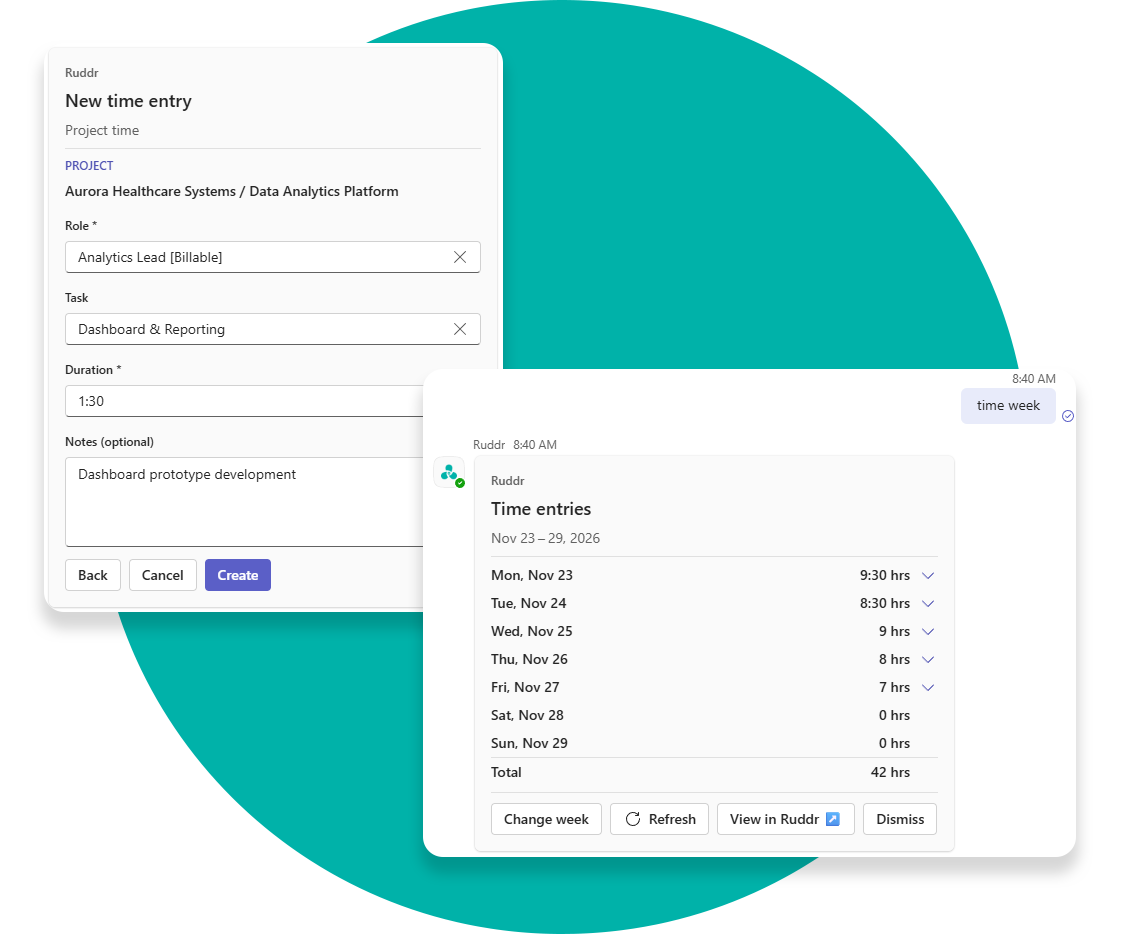
Easily track project time or time off without ever leaving Microsoft Teams. Simply issue the "time" command within Microsoft Teams and follow the prompts to create your time entry. You can also view time entries or edit time entries directly from Microsoft Teams.
Approvals
Manage approvals
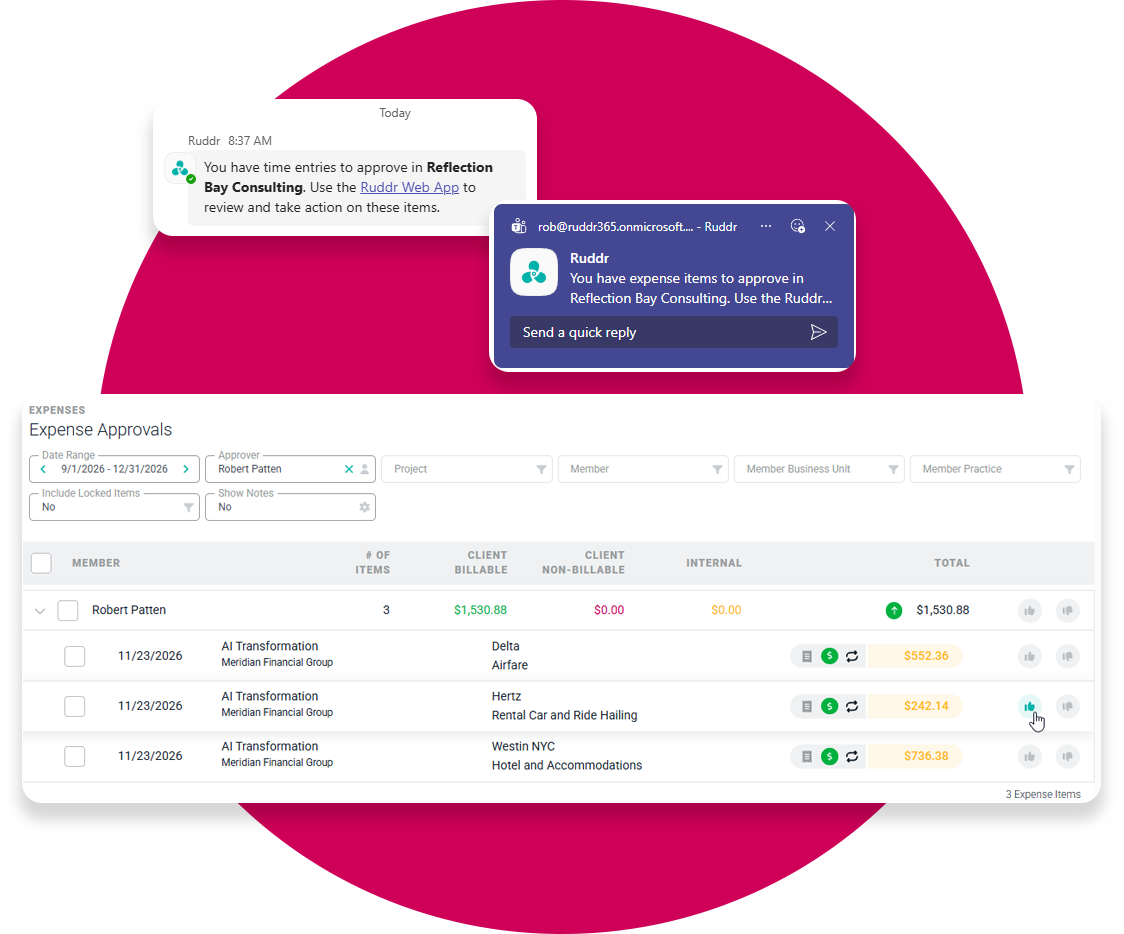
As time entries or expense items are submitted that require your approval, get notified in Microsoft Teams. Ruddr will provide a link such that you can quickly take action on those items.
Project Messaging
Collaborate in channels
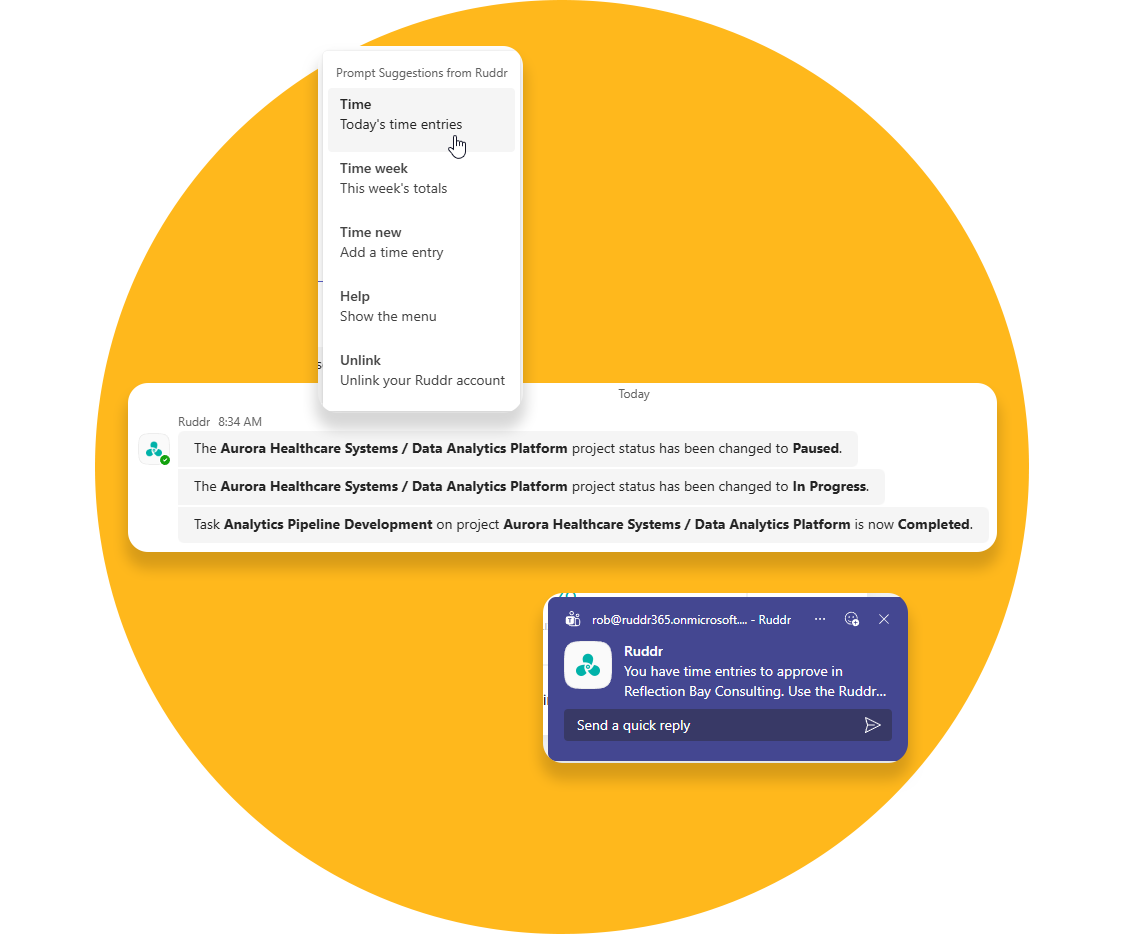
Assign a project channel to each Ruddr project and Ruddr will automatically keep the project team informed of key project activities via Microsoft Teams messages.
Ruddr Onboarding Services
Need to be up and running quickly? With our Basic and Comprehensive onboarding options, you can go live on Ruddr within a few weeks. Our onboarding services include workspace configuration, integration setup, data migration, and training.
Start My Trial
Related Ruddr integrations